Last updated: July 2026 · 24 minute guide
Plain-English security guide

Encrypted Messages Explained — What They Are & How to Send Them

An encrypted message is transformed into unreadable ciphertext so that an unauthorized person cannot understand it. This guide explains what that means in real life, which messaging apps use end-to-end encryption, and what encryption does not protect.

By the Editorial Security TeamUpdated July 18, 2026Beginner friendly
Quick answer “Encrypted” means the message is scrambled with a cryptographic key.

With end-to-end encryption, the message is encrypted on the sender’s device and decrypted only on the recipient’s device. The service carrying the message should not possess the key needed to read its content, but device access, insecure backups, screenshots, scams, and exposed metadata can still create risk.

The essential idea

Encryption protects the content, not every part of the conversation

Think of encryption as placing a readable note inside a locked container. The network can still carry the container, but the words inside are useless without the correct key.

That distinction matters because “encrypted message” can describe several different protections. A message may be encrypted only while moving between your device and a company’s server, or it may be end-to-end encrypted so the provider cannot normally read the message content. It may also be encrypted in a device backup, stored inside a secure vault, or protected only by the phone’s screen lock.

Encrypted message example: “Meet at 4:30” might become a block such as 8F3A7C1D…. The ciphertext is not intended to look meaningful. The recipient’s app uses the proper key to restore the original text.
The contract is ready. Please review section four.
Sender
🔒
Recipient
7c2f9a48d113e6b0a5c8f1e37d5a91b4…
Received securely. I’ll review it now.
Plain-English visual explaining how readable information becomes encrypted ciphertext
Encrypted Messages Basics

Encrypted Meaning in Messages

Encryption changes plaintext into ciphertext using a defined algorithm and one or more keys. Decryption reverses that process for an authorized recipient.

Encrypted message

A message whose readable content has been mathematically transformed so it cannot be understood without the correct decryption key. Modern messaging apps usually perform this automatically.

Encryption is different from encoding. Encoding changes a format for compatibility, not secrecy, and is normally reversible without a secret key.

4

Four places a “secure” message can still be exposed

The sender’s device, the recipient’s device, cloud or local backups, and human actions such as forwarding, screenshots, phishing, or sharing an unlocked phone.

Encrypted messages examples

A WhatsApp chat protected by end-to-end encryption is one example. An iMessage sent between supported Apple devices is another. A file containing exported chat history can also be encrypted with a file-encryption tool, while a whole phone or computer may use full disk encryption to protect stored messages when the device is powered off.

These examples protect different layers. Messaging encryption protects conversation content in transit. File encryption protects a saved transcript or attachment at rest. Full disk encryption protects the storage device as a whole, but it does not stop someone who has already unlocked the computer from opening a logged-in messaging app.

Device answers

How to Send Encrypted Messages on iPhone and Android

Use the tabs for a direct answer. Menu labels may vary by device, app version, carrier, and region, so verify the encryption indicator before sharing sensitive information.

How to send encrypted messages on iPhone

Use iMessage with another Apple user

Open Messages, start a conversation, and confirm the compose field or message styling shows iMessage rather than SMS. iMessage content is end-to-end encrypted between supported Apple devices.

For cross-platform chats, verify the lock

Cross-platform RCS end-to-end encryption began rolling out in 2026 on supported devices and carriers. Look for the encrypted or lock indicator. If it is absent, treat the chat as not end-to-end encrypted.

Use a dedicated E2EE app when certainty matters

Signal and WhatsApp provide end-to-end encryption for personal chats by default. Verify the contact or safety number for high-risk conversations.

Encrypted meaning in iPhone Messages

It means the content is protected so only the conversation endpoints can decrypt it under the service’s security design. A lock or encryption indicator applies to that conversation state, not necessarily to screenshots, notification previews, backups, or data copied into another app.

Do not rely only on bubble color. Confirm the actual service and encryption indicator. SMS fallback is not equivalent to end-to-end encryption.

How to send encrypted text messages on Android

Enable RCS chats in your messaging app

In Google Messages, open settings and confirm RCS chats are connected. Encryption is automatic when the conversation and participants meet the service requirements.

Check for the lock indicator

Look near the send button, timestamp, or conversation details for an encryption indicator. If the chat falls back to SMS or MMS, the lock normally disappears.

Use Signal or WhatsApp for predictable E2EE

Both platforms encrypt personal messages end to end by default. Keep the app and operating system updated, and protect registration with a PIN or two-step verification.

Android end-to-end encrypted message checks

  • Confirm both participants have internet access.
  • Check that the app reports RCS or encrypted chat, not SMS/MMS.
  • Verify the recipient’s number and identity before sharing secrets.
  • Review cloud-backup encryption separately from live-chat encryption.
  • Use a secure screen lock and hide sensitive notification previews.

Why can I receive messages but not send them?

This is usually a delivery or account problem rather than an encryption problem. Check airplane mode, mobile data or Wi-Fi, signal strength, account registration, carrier service, message-center settings, storage space, app permissions, and whether the recipient is blocked. Restart the phone and update the messaging app before changing encryption settings.

Only one contact is affected

Confirm the number, remove and recreate the conversation, check blocking, and ask the person whether their device or app changed.

SMS fails but app messages work

The carrier, SIM, plan, or SMS configuration is the likely cause. Contact the carrier if standard texts continue to fail.

Encrypted chat is stuck

Reconnect RCS, verify the app registration, or switch temporarily to a trusted E2EE app. Do not disable security permanently just to force delivery.

Technical explainer

How Modern Encryption Algorithms Work

The details are complex, but the practical flow can be understood in five steps.

Encrypted internet traffic moving securely between connected devices
1PlaintextYour readable message
2Key setupKeys are generated or agreed
3EncryptionAlgorithm creates ciphertext
4TransportUnreadable data is delivered
5DecryptionRecipient restores plaintext

Symmetric encryption

The same secret key encrypts and decrypts data. Symmetric ciphers such as AES are fast and efficient, which makes them suitable for encrypting message content, files, disks, and large data streams.

Asymmetric encryption

A public key and private key perform related but different jobs. Public-key cryptography helps establish trust, exchange secrets, or verify signatures without first sharing one secret key through an unsafe channel.

Use an E2EE messaging app
Easy
Encrypt an exported chat file
Moderate
Configure full disk encryption
Moderate
Manage organizational encryption keys
Advanced

A brief history of encrypted messaging

People have concealed messages for centuries using substitution systems, codebooks, mechanical devices, and one-time pads. Modern digital messaging combines standardized algorithms, identity keys, session keys, authentication, and forward-secrecy techniques. The important shift is automation: well-designed apps generate and rotate keys without requiring ordinary users to perform cryptographic calculations.

WhatsApp & Messenger Encryption

Messaging App E2EE Comparison

No app can protect a conversation after a participant intentionally copies it. The comparison below focuses on default message-content encryption and practical limitations.

Smartphone messaging apps protected by an additional privacy lock
E2EE by default

Signal

Personal messages and calls are end-to-end encrypted by design. Signal is a strong choice when minimizing provider access to message content is the priority.

Watch for:

Compromised endpoints, malicious links, screenshots, and loss of account access. Verify safety numbers for high-risk contacts.

E2EE by default

WhatsApp

Personal messages and calls use end-to-end encryption. Review encrypted backup settings separately and enable two-step verification.

E2EE in iMessage

iMessage

Apple-to-Apple iMessage content is end-to-end encrypted. RCS cross-platform E2EE began a supported-device and carrier rollout in 2026, so check the lock indicator.

E2EE personal chats

Messenger

Personal messages and calls use end-to-end encryption. Secure storage or message-recovery settings deserve separate review.

Secret Chats only

Telegram

Secret Chats are end-to-end encrypted, but standard cloud chats are not the same. Secret Chats are one-to-one and device-specific.

AppPersonal chats E2EE by defaultGroup supportCloud sync considerationBest fit
SignalYesDesigned to limit server-readable contentPrivacy-first conversations
WhatsAppYesBackup protection is a separate settingBroad contact reach
iMessageYes in supported Apple chatsCloud protection depends on account and backup settingsApple ecosystem
MessengerYes for supported personal chatsReview secure storage and restore methodFacebook contacts
TelegramSecret Chats are one-to-oneStandard cloud chats use a different modelUsers who deliberately enable Secret Chats
Encrypted Messages Security

Are Encrypted Messages Safe?

They are safer against interception, but the answer depends on the app, keys, devices, backups, and user behavior.

Secure file transfer workflow that avoids sending a password in the same channel
Threat
E2EE helps
Needs another control
Practical action
Network interception
Strong protection when implemented correctly
Verify the app and contact
Use an E2EE service and keep it updated
Stolen locked phone
Stored data may remain encrypted
Strong screen lock and device encryption
Use a long PIN, biometrics, and remote lock
Unlocked compromised phone
Little protection after decryption
Endpoint security and app lock
Patch the OS and remove unknown apps
Screenshots or forwarding
Cannot reliably prevent a recipient
Trust, policy, and disappearing messages
Share only what the recipient may retain
Cloud backup exposure
Depends on backup design
Backup encryption and account security
Enable encrypted backups where offered
Metadata
Content encryption may not hide it
Privacy-preserving service design
Limit unnecessary contact and location data

Can encrypted messages be hacked?

Attackers often bypass encryption instead of breaking the cipher. They steal login codes, compromise a device, abuse account recovery, trick a recipient, or capture the message after it is decrypted. Strong encryption reduces one attack path but does not eliminate all others.

Can end-to-end encrypted messages be recovered?

Recovery depends on the app’s secure-storage or backup system. A verified account, recovery PIN, platform backup, one-time code, or stored recovery key may restore access. Without an authorized recovery path or key, legitimate decryption may be impossible.
AES-256 and Encrypted Messages

AES-256 and Encrypted Messages — Meaning, Examples & Apps — What You Need to Know

AES is a symmetric block cipher standardized for protecting electronic data. It supports 128, 192, and 256-bit keys.

Algorithm or methodTypeCommon useStrength notePerformance
AES-128SymmetricMessages, storage, network sessionsStrong when correctly implementedVery fast
AES-256SymmetricFiles, vaults, disks, high-assurance storageLarger key space, implementation still mattersVery fast with hardware acceleration
ChaCha20-Poly1305Authenticated stream cipher constructionMessaging and network protocolsStrong modern optionExcellent on many mobile devices
RSAAsymmetricKey transport, signatures, legacy systemsRequires suitable key sizes and paddingSlower than symmetric encryption
Elliptic-curve cryptographyAsymmetricKey agreement and signaturesStrong security with compact keysEfficient
VeraCrypt / BitLocker / Folder LockSoftware products, not algorithmsVolumes, disks, files, foldersSecurity depends on configuration, keys, and implementationUsually modest impact on modern hardware

What is the difference between AES-128 and AES-256 encryption?

Both use the same AES design with different key lengths and round counts. AES-256 provides a larger brute-force key space, while AES-128 can be slightly faster. For most users, the quality of the password, key derivation, authenticated mode, software implementation, updates, and backup process matter more than choosing between two properly implemented AES key sizes.

Is open source encryption software trustworthy?

Open source makes inspection possible, not automatic. Look for active maintenance, public documentation, reproducible builds where relevant, independent audits, a clear vulnerability-reporting process, and sensible defaults. Commercial software should be judged by comparable evidence rather than by price alone.

Interactive encryption lab

Choose the Right Encryption for Your Situation

These tools provide educational recommendations. They do not test your actual device or guarantee compliance.

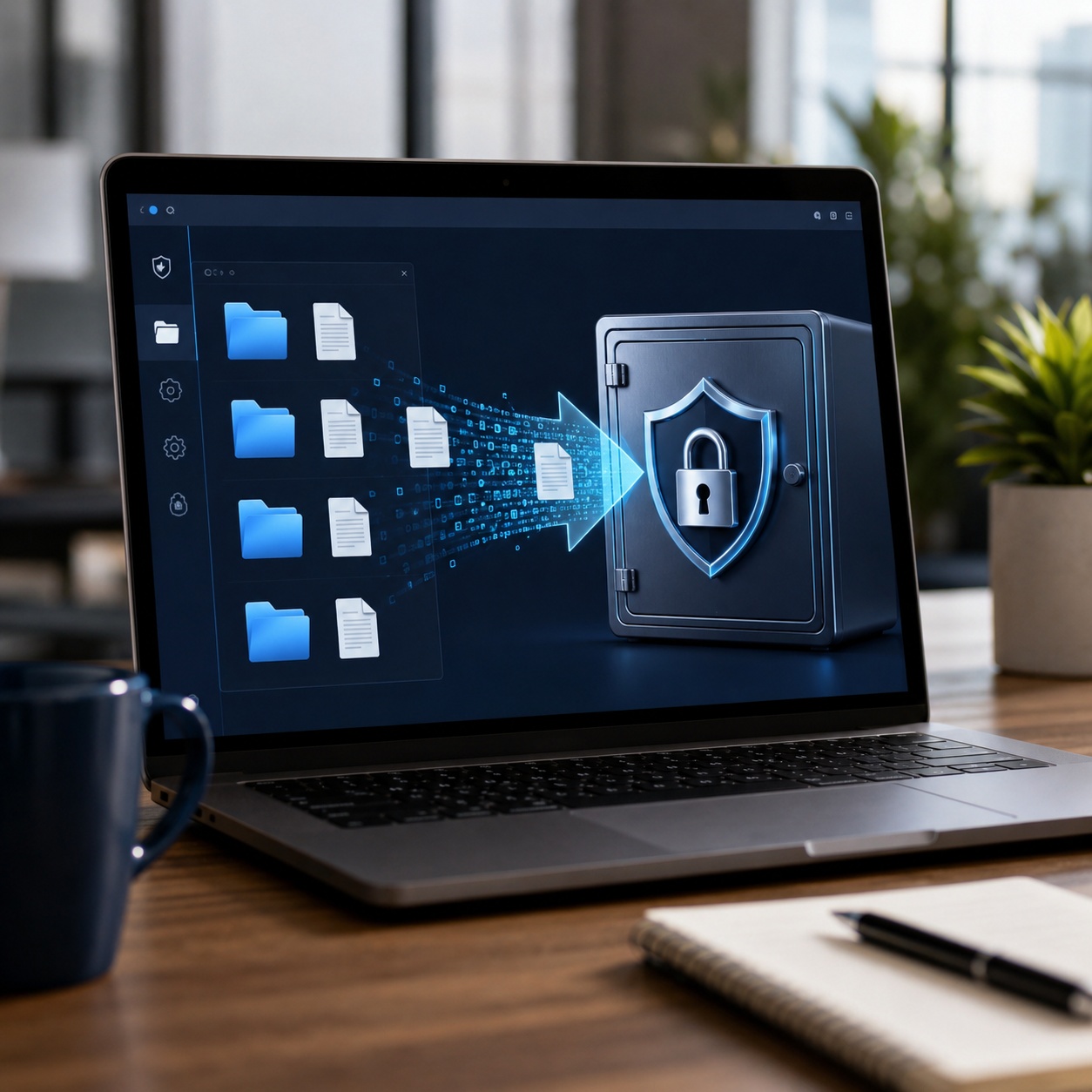
Encryption software concept showing protected files, keys, and secure storage

Encryption type selector

What are you trying to protect?

Encrypted-message risk score

Select every statement that is true.

No score calculated yet.

Encryption algorithm selector

Encryption strength visualizer

AES-256 selected. Strong key size for file and storage encryption, assuming sound implementation and key management.

Performance impact calculator

AES-256 explainer animation

Press the key to transform the example plaintext into representative ciphertext. This is a visual explanation, not a real encryption utility.

Meet me at the north entrance at 4:30.
Ciphertext will appear here.

Encryption concepts test

Which statement is correct?

Best-practice checklist

0 of 6 completed

The tool we recommend for stored files

Use message encryption for chats, and protect exported files separately

Messaging apps protect conversations in transit, but exported transcripts, downloaded attachments, recovery documents, and business records may sit unprotected on a computer. Of the options covered here, we recommend Folder Lock for Windows users who want one interface for encrypted lockers, file protection, and secure storage.

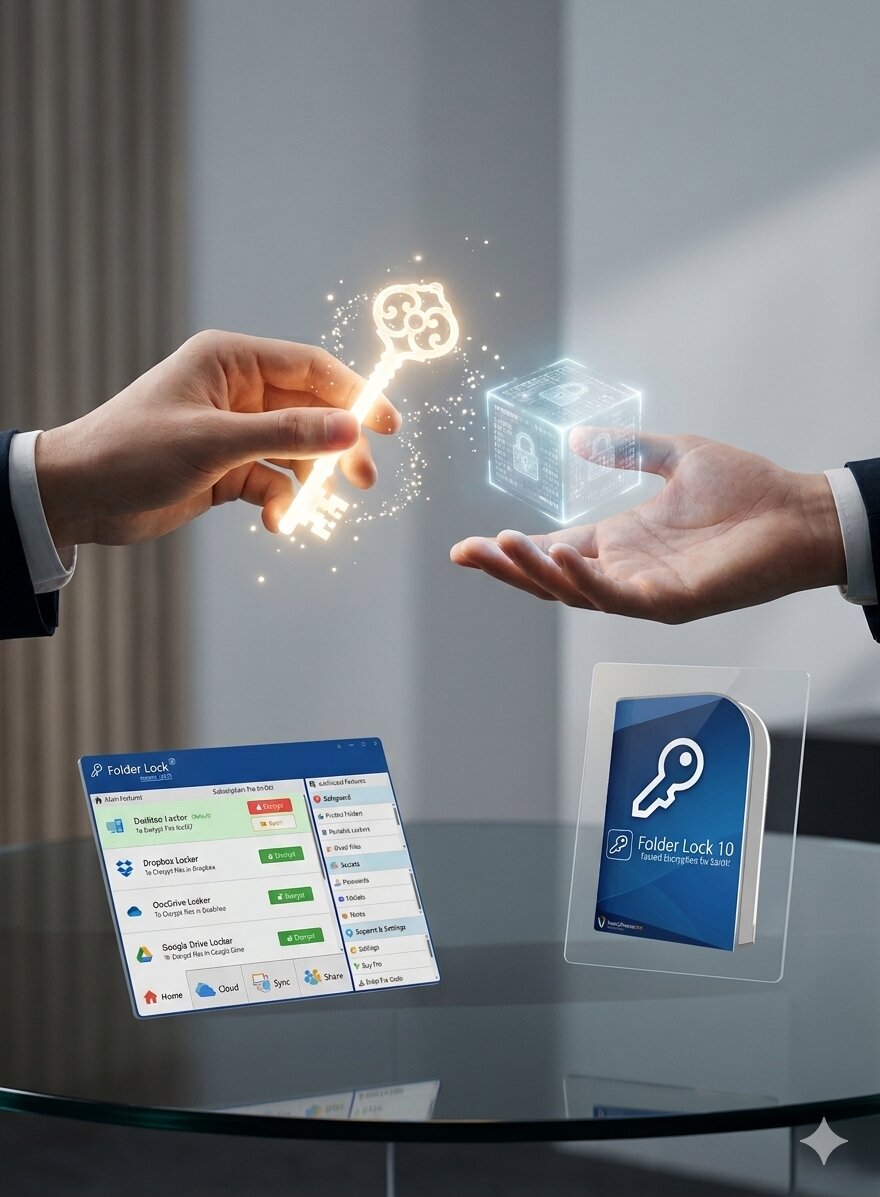
Honest limitation: Folder Lock does not replace Signal, WhatsApp, iMessage, or another end-to-end encrypted messaging service. It protects data at rest after you save or export it.

AES-256 encrypted lockersFiles, folders and drivesWindows-focused workflowFree download available
Encrypted Locker

Private records

Store exported chats, attachments, identity documents, and recovery notes inside protected storage.

🔒
Chats
📎
Attachments
🗝️
Recovery
📁
Records
Folder Lock 10 feature banner presenting encrypted storage and privacy tools
Product fit and limitations

Where Folder Lock Fits in an Encrypted-Message Workflow

Folder Lock is most useful after a conversation becomes a file. It can protect exported transcripts, downloaded media, recovery documents, and private notes, while the messaging app remains responsible for securing the conversation during delivery.

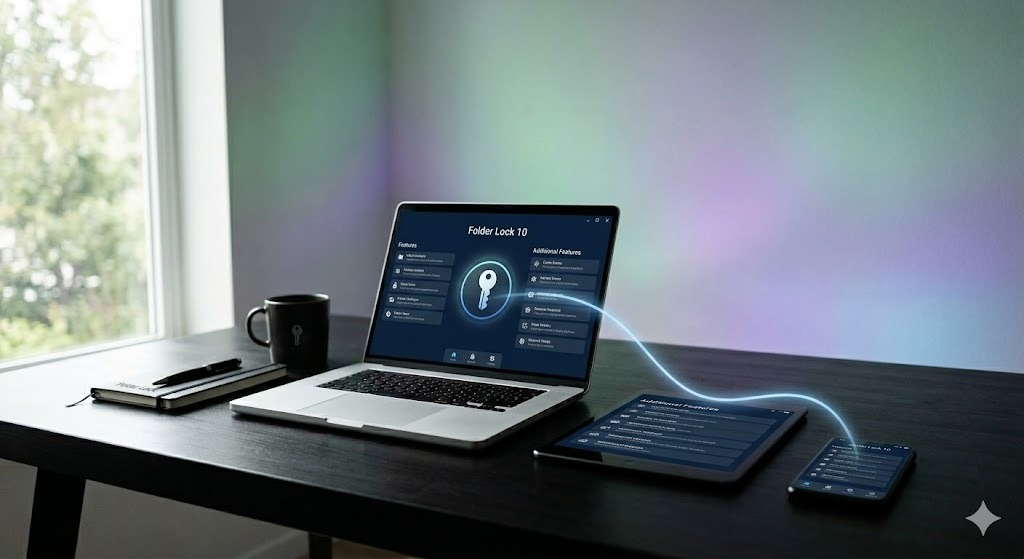
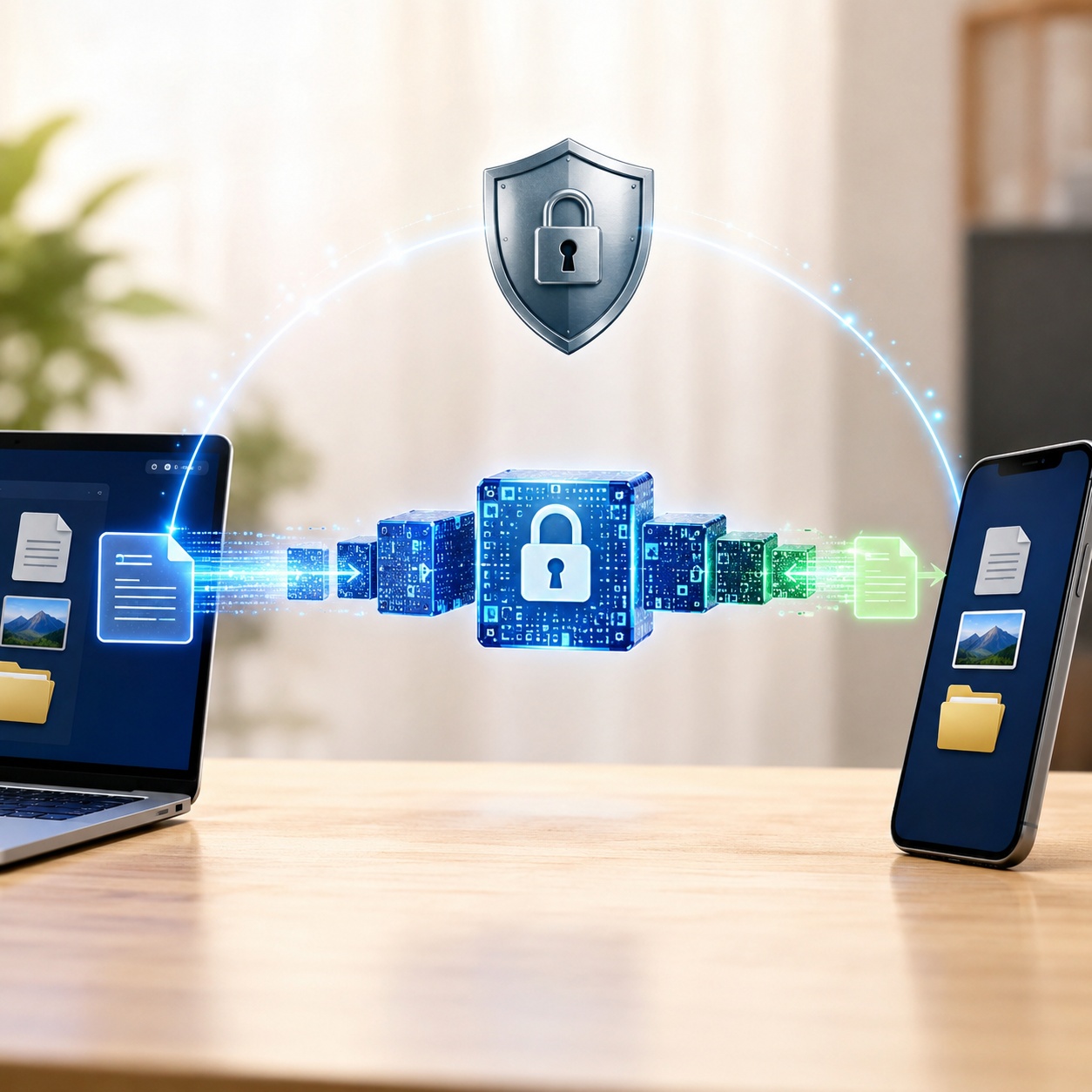
Cross-platform synchronization of protected files between desktop and mobile devices
Platform Best message-related use Relevant capabilities Important boundary
Windows Recurring archives of chat exports and attachments Encrypted lockers, local and cloud-linked storage, portable protected containers, folder access controls, and secure-deletion tools It does not add end-to-end encryption to a live conversation or stop a recipient from copying a message
macOS 13+ Protected local records and encrypted cloud-synced folders AES-256 storage, desktop and cloud lockers, cross-device synchronization, sharing, and private notes The Mac edition does not mirror every Windows safeguard feature, so Windows-specific locking and cleanup instructions should not be assumed to apply
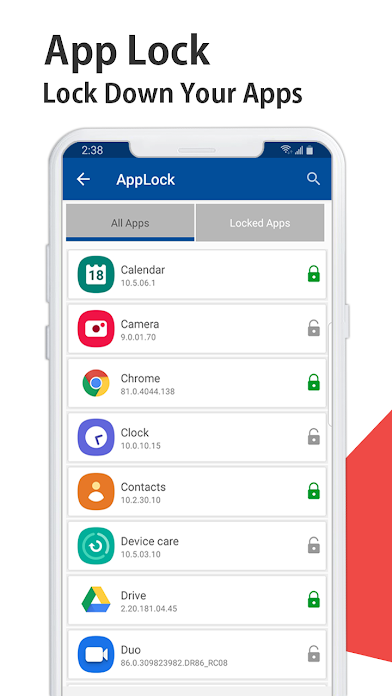
Android A private mobile vault plus an extra local barrier over selected apps Protected media and documents, encrypted notes and wallet data, cloud backup, failed-access monitoring, app locking, and cross-platform access App locking controls access on the phone; it does not change how WhatsApp, Messages, Signal, or another service encrypts network traffic
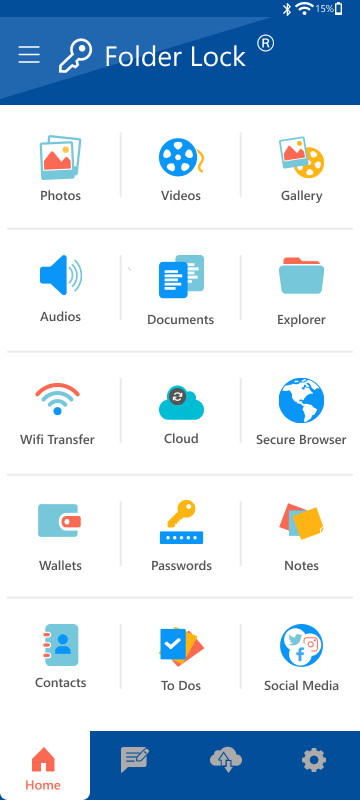
iPhone and iPad Storing exported files, attachments, notes, and other private records Protected media and documents, cloud backup, access-attempt monitoring, Wi-Fi transfer, secure browsing, and cross-platform access The current iOS feature set is better understood as a secure vault than as an Android-style lock placed over other messaging apps
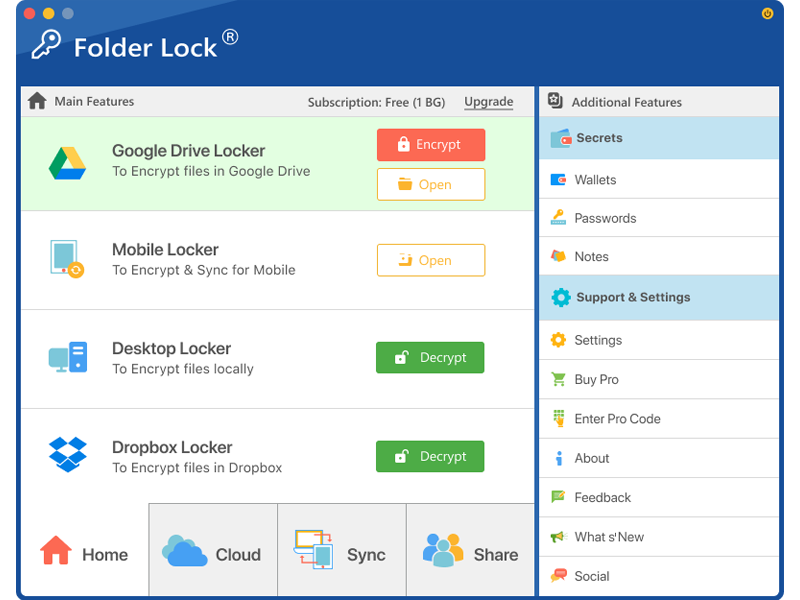
Folder Lock for macOS interface showing encrypted locker controls
Folder Lock Android app lock protecting access to selected mobile applications
Folder Lock iOS vault interface for storing private files on iPhone

Folder Lock, Folder Protect, and Lite are not interchangeable

The product name matters because each option solves a different problem.

Encryption first

Folder Lock 10

Choose the main Folder Lock product when the requirement is confidentiality for saved conversations, attachments, or other private files. Its encrypted-storage workflow is the closest match for protecting message archives at rest.

Best fit: encrypted local or cloud-linked storage, repeat archive workflows, portable protected files, and cross-device access where supported.

Access control

Folder Protect

Folder Protect is designed to control whether Windows users can view, open, change, or delete selected files and folders. That can be useful on a shared PC, but access restrictions are not the same as encrypting a transcript before it leaves the computer.

Best fit: preventing casual viewing or unwanted changes on a managed Windows machine.

Locking only

Folder Lock Lite

The Lite edition focuses on hiding and locking rather than cryptographic storage. It should not be selected when a policy, customer, or personal threat model specifically requires an encrypted message archive.

Best fit: basic local privacy where encryption is not part of the requirement.

What this layer can protect

  • Chat transcripts after they have been exported as files
  • Images, audio, documents, and other saved attachments
  • Recovery codes, identity records, and private notes stored in the vault
  • Encrypted copies placed in supported cloud-linked lockers
  • Local access to selected Android apps when the app-lock feature is enabled

What remains outside its control

  • Encryption between participants while a message is being sent
  • Screenshots, forwarding, or copying by an authorized recipient
  • Notification previews and plaintext copies left in Downloads, Files, email, or cloud trash
  • A compromised messaging account or infected device after the vault has been opened
  • Retention, consent, and legal obligations attached to business conversations
Do not rely on the product name alone. Confirm the platform, edition, encryption mode, recovery process, and backup location before moving the only copy of an important conversation. Features differ across operating systems, and a local app lock is not a substitute for end-to-end encryption.
Choosing the Right Encryption Software for Your Needs

What a File Encryption Tool Should Provide

Evaluate the workflow, not just the algorithm name.

Folder Lock 10 desktop interface showing encrypted lockers and security features
01Authenticated encryption

Protect confidentiality and detect unauthorized changes where the product design supports it.

Essential
02Clear recovery model

Understand whether recovery uses a password, account, key file, recovery code, or vendor support.

Plan first
03Automatic locking

Reduce exposure when the computer is left unattended or a protected vault is no longer needed.

Useful
04Safe backup behavior

Know whether backups remain encrypted and how the keys are stored separately from the data.

Critical
05Platform fit

Confirm operating-system support and whether recipients need the same software to open a file.

Compatibility
06Usable defaults

A practical tool should make the secure path easier than an unsafe workaround.

Best for most
07Plaintext-copy awareness

A secure workflow should help you identify temporary exports, downloaded attachments, recent-file entries, and cloud copies that remain readable outside the protected location.

Often missed
08Edition-specific documentation

Check which features exist on the exact operating system you use. A Windows desktop control, an Android app lock, and an iPhone vault may share a brand but behave differently.

Verify first
Head-to-head guide

Native vs Free vs Paid Encryption Options

The strongest option is the one that matches the threat, platform, sharing workflow, and recovery plan.

MethodDifficultySecurityCostBest forLimitation
E2EE messaging appUsually freeLive conversationsDoes not protect exported files automatically
Device full disk encryptionOften built inLost or stolen powered-off devicesData is accessible after authorized unlock
Password-protected archiveFree optionsOccasional file sharingRecipient compatibility and password exchange
Open-source encrypted volumeFreeTechnical users and portable volumesMore setup and recovery responsibility
Folder LockFree tier and paid Pro editionSaved message files, attachments, and recurring archive workflowsCapabilities differ by platform and it does not replace messaging E2EE
Verdict: use E2EE for live chats, full disk encryption for the device, and file-level encryption for saved transcripts or attachments. These controls solve different problems and often work best together.

Encryption Software Feature Comparison Matrix

Products and built-in tools vary by edition and platform. Confirm current documentation before deployment.

BitLocker

Native full disk encryption on supported Windows editions.

  • Strong device-at-rest protection
  • Works below the file level
  • Edition and hardware considerations

VeraCrypt

Open-source encrypted volumes and system-encryption options for technical users.

  • Cross-platform options
  • Hidden volume capability
  • More setup responsibility

Password archive

Useful for occasional transfer when configured with modern encryption.

  • Portable
  • Low cost
  • Password exchange remains a risk
Step by step

How to Protect an Exported Message File Using Folder Lock

This tutorial is for files you own or are authorized to protect.

Folder Lock desktop locker screen used to organize and protect exported message files

Export only the material you are allowed to keep

Use the messaging app’s official export or download option. Exclude unnecessary media, third-party personal data, and duplicate files before creating the protected copy.

Choose the edition that actually encrypts stored data

Use an encrypted locker on Windows or macOS, or import the export into the protected mobile vault. Folder Protect and Folder Lock Lite are not substitutes when encryption at rest is the stated requirement.

Create a dedicated archive with a recovery plan

Use a unique passphrase, record the authorized recovery method, and separate recovery information from the encrypted archive. Do not reuse the password from the messaging account.

Move the transcript and inspect every source folder

Place the files inside the protected location, then check Downloads, desktop folders, email attachments, temporary export folders, and cloud-sync locations for readable duplicates.

Lock, reopen, and test the encrypted copy

Close the protected storage, reopen it with the intended credentials, and confirm the files remain usable. Test again after a restart and, when synchronization is enabled, on an authorized second device.

Back up the encrypted archive before removing plaintext

Keep a second protected copy and verify that it can be restored. Delete unnecessary readable originals only after the archive, recovery method, and backup have all been tested.

Before deleting the original

  • The protected copy opens with the intended account or passphrase.
  • The archive contains the transcript and every required attachment.
  • No readable copy remains in an export, download, email, or temporary folder.
  • The backup is encrypted and stored separately from the primary device.
  • The recovery information is available only to authorized people.
  • Retention, consent, and deletion rules have been documented for business records.
Owner-safe rule: do not use encryption to conceal stolen data, bypass workplace controls, or access someone else’s account. Use authorized export, recovery, and access procedures.
Advanced guide

Storage, Keys, Metadata and Performance

These topics determine whether encryption stays useful after initial setup.

In-transit encryption protects data moving across networks. At-rest encryption protects stored data on phones, computers, removable drives, or cloud storage. End-to-end encryption is an in-transit and endpoint content model, while file and disk encryption focus on stored data.

Use unique keys or passphrases, store recovery material separately, restrict access by role, rotate keys when risk changes, log administrative actions, and test restoration. A strong cipher with poorly managed keys is not a strong system.

Some tools encrypt file content but leave names, sizes, timestamps, folder structures, or access patterns visible. Review the product’s metadata behavior if filenames themselves reveal sensitive information.

A hidden volume is designed so a second encrypted area is difficult to distinguish from unused encrypted space. It is an advanced feature with operational risks, including accidental overwriting and legal uncertainty. It should not be treated as a substitute for lawful data governance.

Hardware encryption can offload work and bind protection to a device, but trust depends on firmware, implementation, management tools, and recovery. Software encryption is flexible and transparent to update, but it uses host resources and can be affected by operating-system compromise.

Modern CPUs with cryptographic acceleration often make ongoing encryption overhead modest. Initial encryption time depends heavily on drive speed and data volume. HDDs and slower USB media take longer, while SSDs and NVMe drives generally complete the first pass faster.

Protection layers

1Account

Strong sign-in, recovery and multi-factor protection.

Identity
2Message

End-to-end encryption and contact verification.

In transit
3Device

Screen lock, updates and full disk encryption.

Endpoint
4Export

File or folder encryption for saved records.

At rest
5Backup

Encrypted backup with separate recovery material.

Resilience
Hardware vs Software Encryption — Performance Tradeoffs

When to Choose Hardware vs Software Encryption

Encrypted backup options across computers, mobile devices, and cloud platforms

Choose software encryption when

  • You need file, folder, or volume-level flexibility.
  • You want a visible workflow and update path.
  • You must move encrypted data between supported systems.
  • You need to protect selected exported chats rather than an entire disk.

Tradeoff: the host operating system and user account become important parts of the security boundary.

Choose hardware-backed encryption when

  • You are protecting a complete managed device.
  • The platform securely stores keys in dedicated hardware.
  • Central policy, secure boot, and device attestation matter.
  • You need low-friction encryption for every stored file.

Tradeoff: recovery, firmware trust, and device replacement must be planned carefully.

Performance Impact of Encrypted Messages — Meaning, Examples & Apps

Live message encryption is normally imperceptible on current devices. File and disk encryption can affect initial setup, large transfers, low-powered hardware, and random input/output workloads. Benchmark the real device with the actual software, storage medium, and work pattern rather than relying on a single generic percentage.

Encryption Compliance Requirements for Businesses

Encryption for HIPAA, GDPR, PCI DSS and SOC 2

Encryption supports compliance, but no regulation is satisfied by selecting an algorithm alone.

HIPAA

The HIPAA Security Rule requires administrative, physical, and technical safeguards for electronic protected health information. Encryption decisions should follow documented risk analysis, access controls, transmission security, and key separation.

GDPR

GDPR Article 32 identifies encryption and pseudonymization among measures that may be appropriate to risk. Organizations still need lawful processing, data minimization, access controls, incident response, and processor governance.

PCI DSS

PCI DSS requires strong cryptography in relevant cardholder-data scenarios and emphasizes proper key management. Encryption does not automatically remove an environment from PCI scope.

Compliance note: consumer messaging apps and file lockers may be part of a control set, but regulated organizations should assess contracts, administration, retention, auditability, data residency, approved devices, and incident response with qualified legal and security professionals.

Key management and backup strategies

Separate recovery keys from encrypted data, use least privilege, keep an inventory of protected systems, record ownership, test recovery on a schedule, revoke access when roles change, and avoid a single person holding every key for high-risk business systems. For critical environments, dual control and split knowledge can reduce insider and single-point-of-failure risk.

Common errors and fixes

Encrypted Message Troubleshooting

Start with the least destructive checks. Do not erase app data, reset keys, or delete backups until you understand the recovery effect.

Check network access, carrier status, SIM activation, account registration, message-center configuration, storage, app permissions, blocking, and the recipient number. Test another contact and another network. Contact the carrier when standard SMS fails across multiple recipients.

Confirm the number format, delete and recreate only the conversation thread, check whether either person changed phones, review blocking and spam controls, and verify whether RCS is stuck waiting for registration. Ask the contact to start a new message from their current number.

Open them through the authorized account and device or use the app’s official secure-storage recovery flow. You should not need to manually decrypt ordinary app messages. Without authorized account access, keys, or recovery material, access may not be possible.

Delete the conversation using the app’s normal controls if you own the account and no retention duty applies. Turning off encryption is rarely necessary and may not be supported. Deleting your local copy may not remove the recipient’s copy or all backups.

Do not disable iMessage or RCS encryption solely to troubleshoot. First restart the phone, verify the service status, reconnect the account, and update iOS. Switching to SMS reduces protection and should be a deliberate fallback, not the default fix.

It generally means removing or recreating protected cloud or synchronization keys when normal recovery has failed. The exact effect varies by platform and may permanently remove access to protected data. Read the device’s warning, confirm backups, and use official support guidance before proceeding.

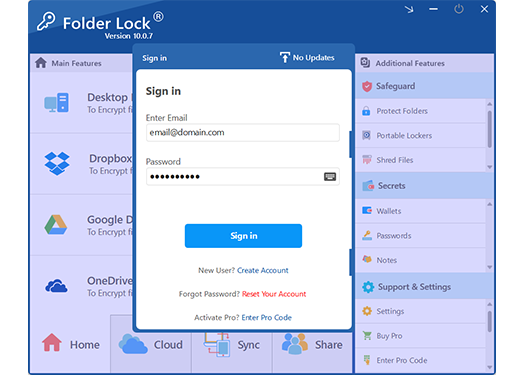
Use the installed Folder Lock application, the authorized password, and the official unlock or locker-opening workflow. If you forgot the password, check saved recovery information, your account or purchase records, and NewSoftwares support. We do not provide bypass or cracking instructions.

Disconnect the affected device from networks, preserve evidence, identify the ransomware family with a reputable incident-response or law-enforcement resource, and restore from known-clean backups. Do not install random decryptors or overwrite originals. Some families have legitimate public decryptors, while others do not.

Free vs paid

Free vs Paid Encrypted Messages — Meaning, Examples & Apps — Is It Worth It?

Secure messaging does not require a paid app for most personal conversations. Payment becomes more relevant for file protection, centralized administration, support, and advanced storage workflows.

Folder Lock 10 software boxshot for the paid file encryption edition
NeedFree approachPaid approach
Private live chatUse a reputable E2EE messaging appUsually unnecessary for personal use
Encrypt one archiveUse a maintained archive or open-source volume toolPaid software may simplify setup and support
Protect files and folders regularlyBuilt-in tools may be sufficientFolder Lock offers a unified workflow and support path
Business deploymentFree tools can work but increase internal managementCommercial licensing, support, and policy features may justify cost

Folder Lock edition snapshot

The official product comparisons reviewed for this update show a free option and a Pro listing of $39.95. Confirm the checkout page because pricing, licensing, and included features can change.

Free

$0 listed

The current comparison materials show a 1 GB protected-storage allowance and synchronization on two devices. It is suitable for testing the workflow or protecting a small archive.

Pro

$39.95 listed

The paid comparison removes the stated locker-capacity ceiling and increases synchronization to five devices. Additional protections depend on the operating system and edition.

Check the platform

Features are not identical

Windows, macOS, Android, and iOS share encrypted-storage ideas, but mobile app locking, Wi-Fi transfer, Windows safeguard controls, and secure-deletion tools are platform-specific.

Is Folder Lock worth it? It can be worthwhile for Windows users who frequently protect exported messages, attachments, documents, folders, and removable data and prefer a guided interface. Technical users who only need a single encrypted volume may prefer a maintained open-source alternative. Current licensing and pricing should be checked on the official product page.

Reader scenarios

Who Needs Which Kind of Encryption?

“Our team needed to separate the live chat decision from the record-storage decision. An encrypted messenger handled the conversation, while file encryption protected the exported case documents.”
Operations manager, professional services
“I assumed a locked phone protected every backup. Reviewing the backup settings showed that live-chat encryption and cloud recovery were separate choices.”
iPhone and Android household
“For a laptop being sold, deleting conversations was not enough. We confirmed full disk encryption, signed out of accounts, reset the device, and kept recovery records separate.”
Small-business owner
“The easiest setup was not the strongest one on paper, but it was the one our staff could use correctly every day without sending passwords in the same channel.”
IT coordinator, local organization
Decision guide

Which Method or Tool Is Right for You?

Private personal chat

Recommended: Signal, WhatsApp, iMessage, or another verified E2EE service used correctly.

Folder Lock fit: Only for saved exports and attachments.

Lost or stolen laptop risk

Recommended: Full disk encryption, strong login, secure boot, and remote management.

Alternative: File encryption adds another layer for selected records.

Sharing a protected archive

Recommended: Modern encrypted archive or secure file-sharing service, with the password sent through a separate channel.

Folder Lock fit: Good for recurring Windows storage workflows.

Regulated business records

Recommended: Managed, documented encryption with access control, key lifecycle, logging, retention, and approved vendors.

Alternative: Consumer tools only after formal risk and compliance review.

Frequently asked questions

Encrypted Messages FAQ

Filter by topic, then expand a question for the full answer.

An encrypted message is readable content transformed into ciphertext using a cryptographic algorithm and key. Messaging apps may encrypt messages in transit, end to end, in backups, or in local storage. This guide explains those differences and shows examples.

The sender’s app converts plaintext into ciphertext. The recipient’s authorized device uses the correct key to decrypt it. In a sound end-to-end design, the service does not hold the key required to read the content.

Strong encryption greatly reduces interception risk, but safety still depends on device security, identity verification, backups, recovery methods, software updates, and recipient behavior.

Properly implemented AES-256, ChaCha20-Poly1305, and modern public-key systems are strong consumer options. The complete construction, key management, authentication, implementation, and endpoint security matter more than a label alone.

Well-implemented encryption is designed to resist decryption without the authorized key or recovery path. Check account recovery, key escrow, recovery codes, backups, and vendor support. We do not provide bypass or cracking instructions.

Modern processors often accelerate AES, so ongoing overhead is usually modest. Initial encryption, older CPUs, HDDs, slow USB drives, and heavy input/output workloads can show a larger effect.

AES-256 is the AES block cipher used with a 256-bit key. NIST standardized AES for electronic data protection. Its adoption, efficiency, analysis, and hardware support make it common in storage and security products.

Yes, open-source software can be highly secure, and commercial software can also be strong. Evaluate maintenance, audits, documentation, defaults, vulnerability response, platform fit, and recovery rather than assuming the license model proves security.

Full disk encryption protects the entire storage volume when the device is locked or powered off. File-level encryption protects selected files or folders and can remain useful after the operating system is running.

Use the product’s official recovery system, saved recovery key, account, key escrow, or support process. If none exists and encryption is working correctly, the files may remain permanently inaccessible.

Properly implemented AES-256 is not normally defeated by straightforward brute force. Investigations may instead rely on lawful access to unlocked devices, backups, accounts, keys, endpoints, human cooperation, or implementation weaknesses.

Use a reputable file-encryption tool or encrypted container before placing data in the synchronized folder. Protect the account with multi-factor authentication and keep recovery keys outside the same cloud account.

Supported Windows editions can use BitLocker for full volume encryption, while some devices use Device Encryption. Availability depends on edition, hardware, management, and account configuration.

Use iMessage with supported Apple contacts or a dedicated E2EE app such as Signal or WhatsApp. For RCS, confirm the conversation displays the encrypted lock indicator because 2026 cross-platform support is still dependent on rollout, device, and carrier.

Check data or Wi-Fi, signal, SIM and carrier service, recipient number, blocking, app registration, message-center settings, storage, and permissions. Test multiple contacts to separate a device-wide problem from a single-thread issue.

No. Those services control encryption while a conversation is being sent. Folder Lock can protect files created after a chat is exported, along with saved attachments, notes, and other records stored in its protected area.

Use an edition that provides encrypted storage on your operating system. Windows and macOS users can use encrypted lockers, while Android and iOS users can place exported files in the mobile vault. Do not choose Folder Protect or the Lite edition when encryption at rest is mandatory.

The product comparisons reviewed in July 2026 list a free edition with 1 GB of protected storage and synchronization on two devices. Pro is listed at $39.95, removes the stated locker-capacity limit, and raises synchronization to five devices. Platform-specific features should be confirmed before purchase.

More on this topic

In-Depth Answers and Platform Notes

Authoritative references: review current guidance from NIST, Apple Platform Security, WhatsApp, Telegram, HHS, and the GDPR legal text.
Our verdict

Use the right encryption layer for the right risk

For conversations, start with a reputable app that provides end-to-end encryption and clearly shows when it is active. Protect the phone with updates, a strong lock, secure account recovery, and sensible notification settings. Remember that encryption cannot control what a trusted recipient does after reading the message.

For exported chats, attachments, recovery documents, and business records, add file or folder encryption. Folder Lock is a practical option when its encrypted-storage features match your platform, but the editions are not identical: Windows offers the broadest desktop toolset, macOS focuses on encrypted lockers and synchronization, Android adds local app locking, and iPhone or iPad works mainly as a protected vault. Folder Protect and Folder Lock Lite should not be treated as encryption substitutes.